 pawbreath
A BREATHING JOURNAL FOR YOUR DOG
Count their breaths.
Keep a little history.
A quiet moment with your dog. A record you can share with your vet.
Watching your dog, counting breaths and remembering yesterday’s reading is a lot to keep track of. Pawbreath brings the timer and journal together, so you can keep watching your companion while you tap.
No account needed. Your readings stay on your device.
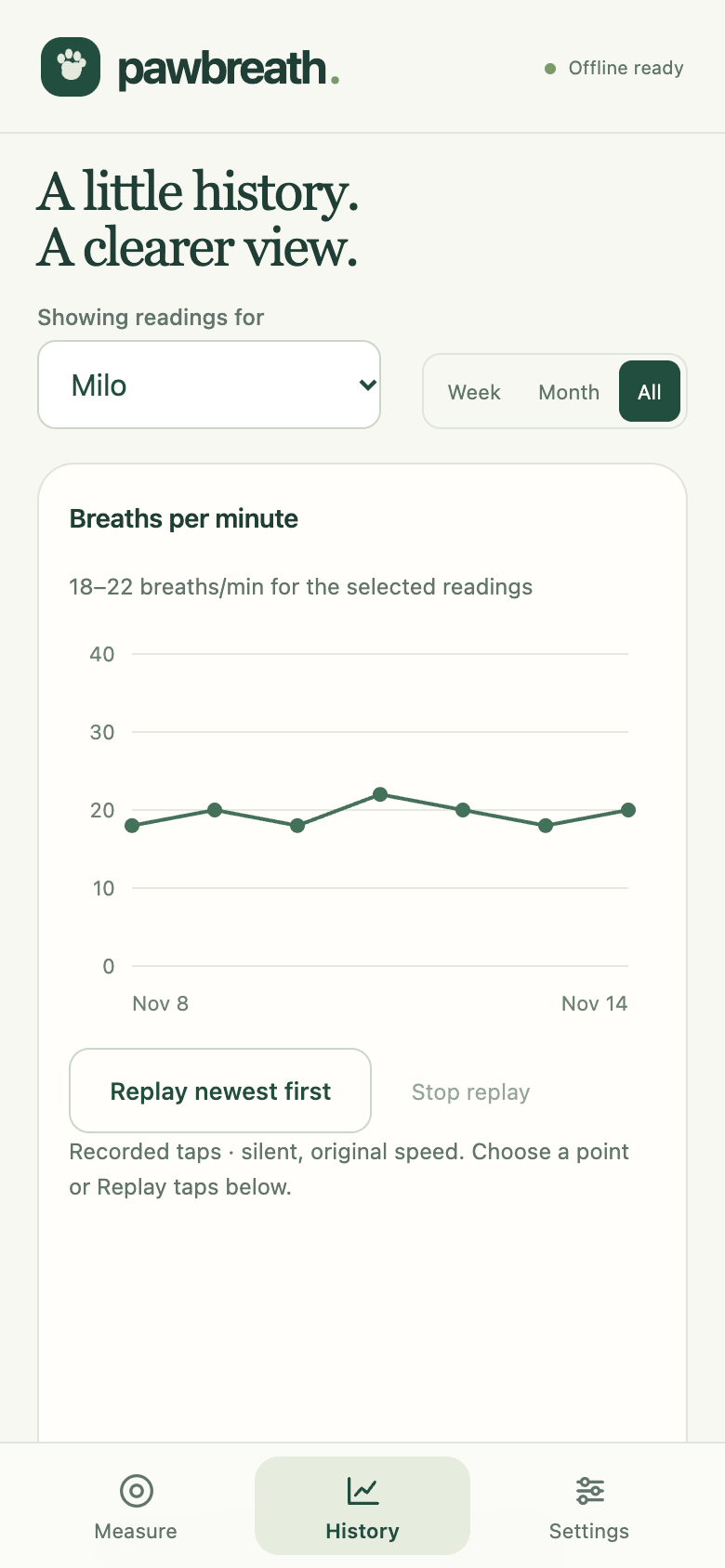
Example values are not a target for your dog.
01 / A MOMENT TO OBSERVE
One rise and fall.
One breath.
Pawbreath turns the breaths you count into breaths per minute. It records your taps; it does not detect breathing automatically.
Wait for a quiet moment
For a sleeping reading, wait until your dog is settled, without panting or active dreaming. Compare readings taken in the same state.
Watch your dog and tap
Choose 30 or 60 seconds. Count one complete rise and fall of the chest as one breath. Tap the large area once per breath; optional quiet sounds help you hear each registered tap. Keep the app open while counting.
Save the moment
Review the result, add whether your dog was asleep or resting, and leave a note. History keeps the readings together. New timed readings can also replay the rhythm of your recorded taps, silently.
Counting guidance: VCA home breathing rate evaluation and Ceva sleeping breathing guidance.
02 / WHY KEEP A RECORD?
Small observations
for your vet.
A sleeping breathing rate gives you something concrete to track between appointments.
In dogs with heart disease, fluid can build up in the lungs as the condition progresses to heart failure, making breathing faster or more difficult. Medication prescribed by your vet can help reduce this fluid and manage symptoms. Tufts treatment guidance ↗
Tracking sleeping breathing rate helps you notice changes to discuss with your vet. A breathing rate alone cannot diagnose heart disease. Follow your vet’s advice about monitoring and any changes to medication.
A reference, with your dog in mind
Ceva’s monitoring guidance advises contacting your vet if sleeping breathing rate rises over time or is above 30 breaths per minute. This is general guidance, not a diagnosis or a personal target.
Pawbreath leaves your dog’s threshold blank until you enter the value your vet recommends.
If your dog is struggling to breathe, seek urgent veterinary care. Do not wait to finish a count.
Further guidance: VCA on breathing changes and when to seek help. Sources checked 15 November 2026. Pawbreath is independent of these organisations.
03 / READY WHEN THEY SETTLE
A place on
your home screen.
Pawbreath is a web app. You can use it in your browser or add it to your phone for quick access.
IPHONE & IPAD
Start in Safari
- Open the Pawbreath journal in Safari. Its address should be pawbreath.com, without /about.
- Tap Share , then Add to Home Screen. You may need to scroll through the actions.
- Keep Open as Web App turned on if that option appears, then tap Add.
- Open Pawbreath from its new icon while connected. In Settings, check for “App saved for offline use” before relying on it offline.
ANDROID
Start in Chrome
- Open the Pawbreath journal in Chrome.
- Open the ⋮ menu. Choose Install and create shortcut, then Install. Some versions say Install app or Add to Home screen.
- Follow the prompts, then open Pawbreath from its icon while connected. Check Settings for “App saved for offline use”.
Already have readings in your browser? Download a backup in Settings before installing. If the home-screen app opens with an empty journal, restore that backup there.
04 / YOUR COMPANION, YOUR COPY
Know where
your journal lives.
On this device
Each browser or installed app keeps its own journal. There are no accounts or automatic syncing between phones. You can keep a separate profile for each dog.
Available offline after setup
Once the app is saved for offline use, you can count, view history and read its breathing guidance without a connection. This introduction page and external source links need the internet.
A copy you can keep and share
Download backups regularly from Settings, especially before changing devices or clearing browser data. Restore a backup to bring a journal into another browser. Export a CSV to share readings and notes with your vet.
Updates wait until all Pawbreath windows and tabs close. Finish and save your work before closing them.
WHEN THEY’RE READY